Step 1
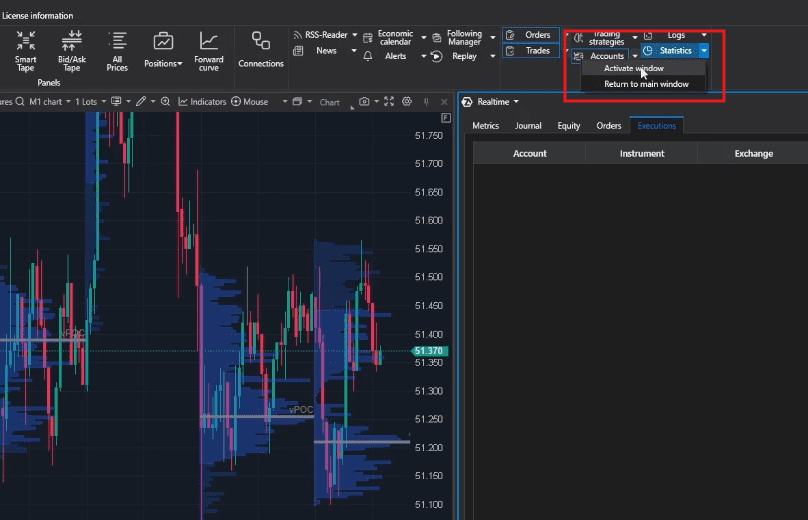
In your ATAS Platform, click on the Statistics button in the “Main Window”
Step 2
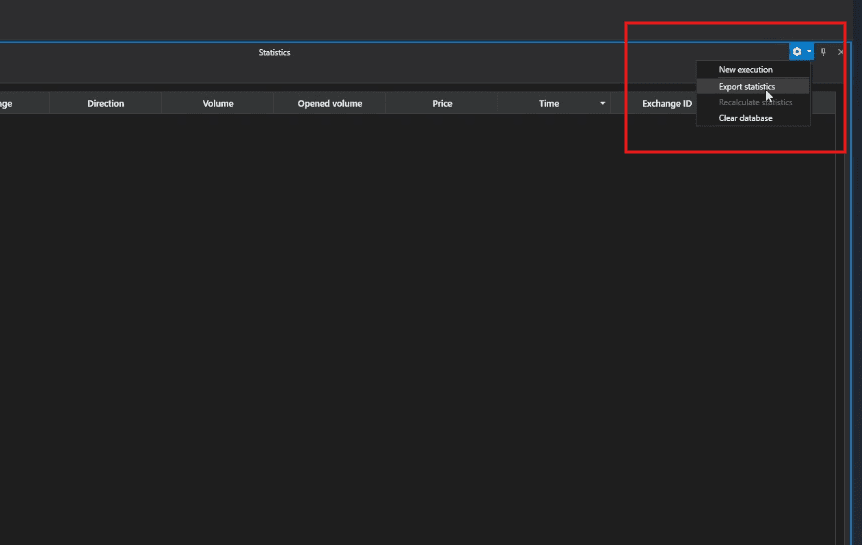
Click on the settings icon in the top right of the Statistics window, and click “Export statistics”.
Step 3
Save the .xlsx (Excel Spreadsheet) file to your computer.
Step 4
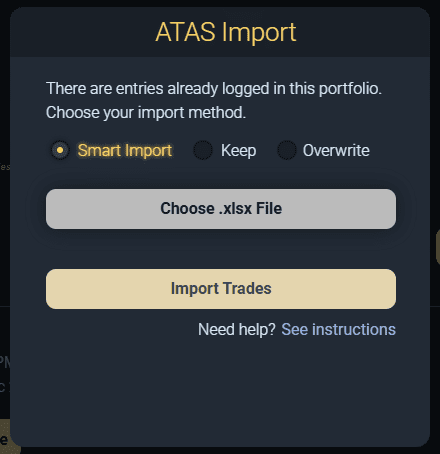
In our app, click the “Choose .xlsx File” button and select the file you saved from Step 3.
Step 5
Choose your Import Method. We recommend the “Smart Import” choice.
Step 6
Click the “Import Trades” button to import the trades.