Trading Journal
About
Pricing
Login
Home
About
Discord
Competitions
Pricing
Sign In
How to Import from E*TRADE
Step 1
Navigate to your Power E*TRADE web platform.
Step 2
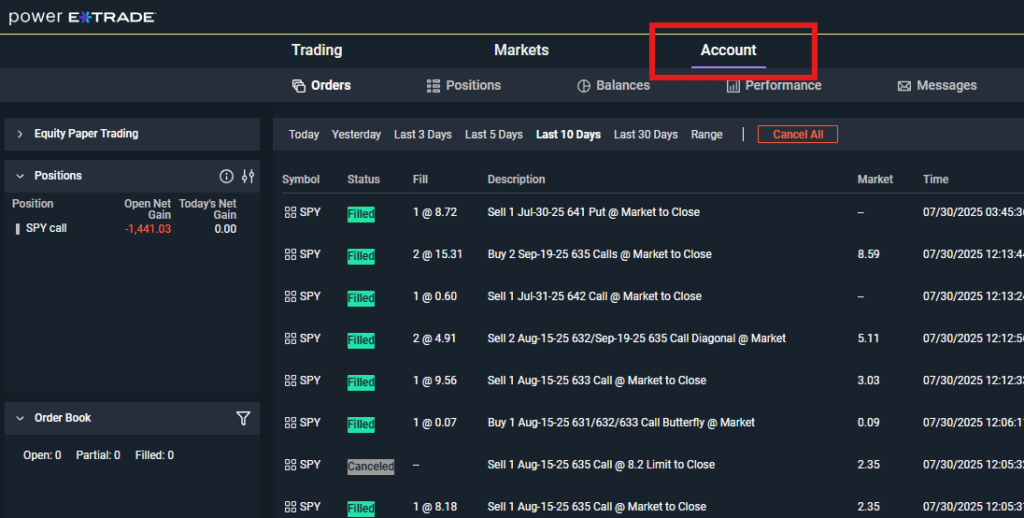
In your Power E*TRADE web platform, navigate to the “Account” tab.
Step 3
Then, select the “Orders” tab right underneath.
Step 4
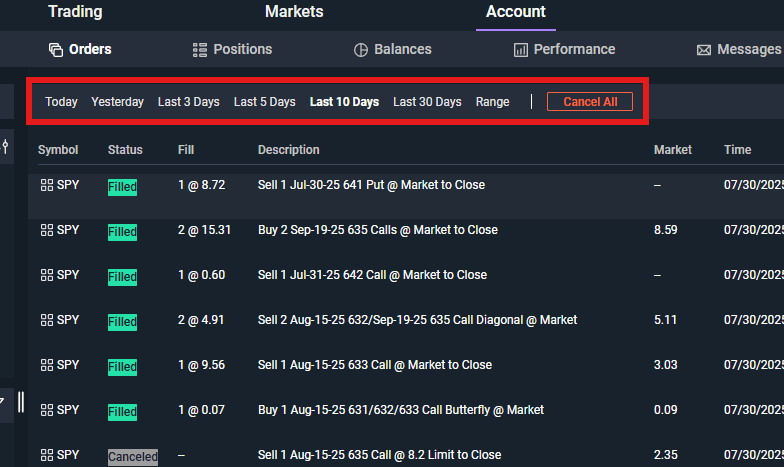
Select the date range you would like to import.
Step 5
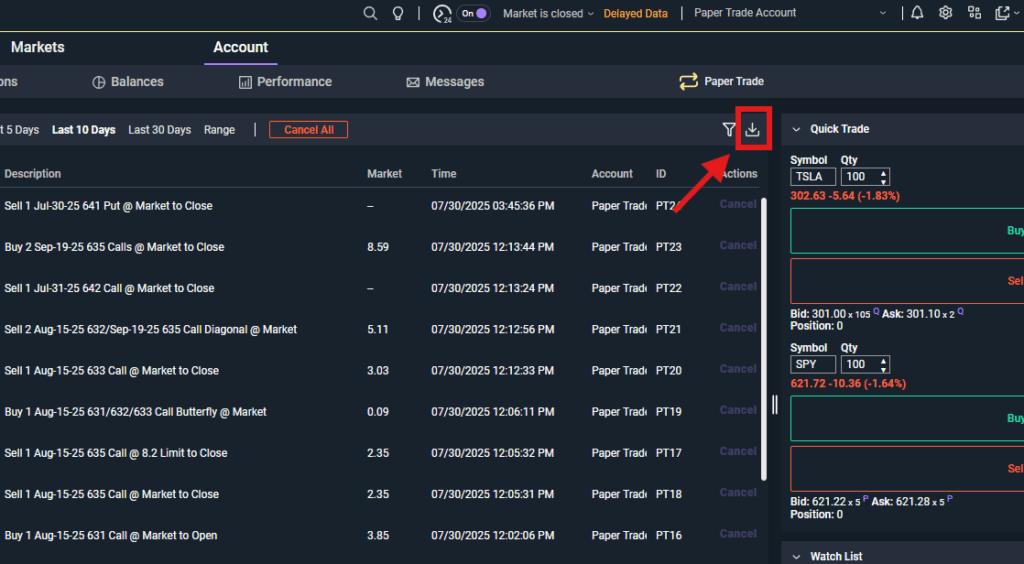
Download the CSV using the download button in the top right of the trading panel.
Save the file to your computer.
Step 6
In our app, click the “Choose .csv File” button and select the file you saved from Step 5.
Step 7
Choose your Import Method. We recommend the “Smart Import” choice.
Step 8
Click the “Import Trades” button to import the trades.