Step 1
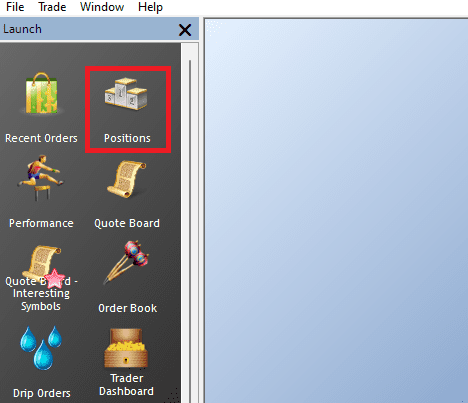
In your Rithmic Platform, go to your Positions tab.
Step 2
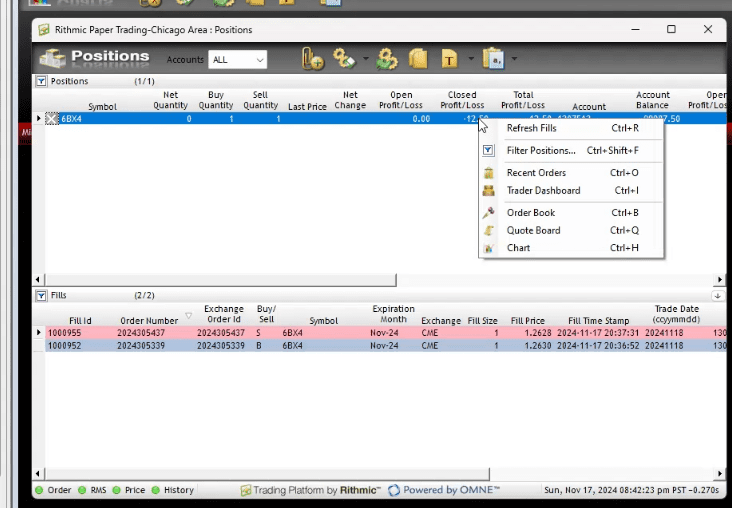
Right click on any Position and click “Refresh Fills”, or hit Ctrl + R.
Step 3
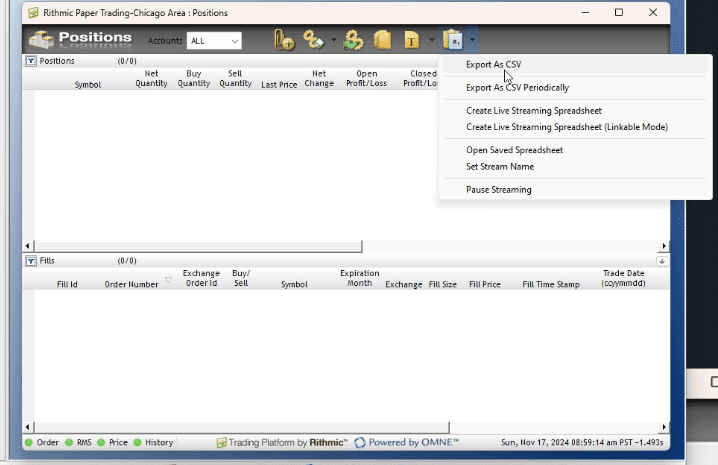
Toggle the Export As CSV dropdown, then select the Export As CSV option from the dropdown. Save the .csv file to your computer for the next steps.
Step 4
In our app, click the “Choose .csv File” button and select the file you saved from Step 3.
Step 5
Choose your Import Method. We recommend the “Smart Import” choice.
Step 6
Click the “Import Trades” button to import the trades.